Introduction: The Wake-Up Call You Need
It’s 9 PM on a Tuesday. You’re halfway through a Netflix episode when everything goes dark. Your router clicks off. The hum of your refrigerator stops. Your phone screen becomes the only light in your apartment.
You have 47% battery left.
For most urban families, this is where the panic starts. You shuffle through junk drawers looking for that flashlight you saw six months ago. The batteries are dead. Your partner asks how long the outage will last, and you realize you have no idea. Your toddler starts crying in the dark bedroom.
This scenario plays out in millions of homes every year, and it’s getting worse. The average American experienced 8 hours of power outages in 2024—double the rate from a decade ago. Climate events, aging infrastructure, and grid strain from increased demand have made blackouts the new normal.
Here’s the uncomfortable truth: your urban lifestyle makes you more vulnerable, not less. That smart home? Useless. Your electric stove? Can’t boil water. Your keycard building entry? You might not even be able to get back inside.
But you don’t need to become a doomsday prepper or move to a cabin in Montana. You need a system.
This guide walks you through exactly what you need for the critical 72-hour window when most blackouts occur. You’ll learn what gear actually works, what mistakes leave families struggling in the dark, and how to build a blackout kit that fits in your apartment closet.
No wilderness survival skills required. Just smart preparation that takes one afternoon to set up.
Let’s make sure the next blackout is an inconvenience, not a crisis.
Why You Need an Urban Blackout Survival Guide in 2025
How Long Do Blackouts Really Last?
Most people assume blackouts last 2-3 hours. They’re wrong.
The median outage duration in U.S. cities is now 5.5 hours, but that number is misleading. While minor outages (lightning strikes, car accidents hitting poles) resolve quickly, weather-related and grid failures average 24-72 hours. Major events—hurricanes, ice storms, heat waves straining the grid—can push past a week.
Texas (2021): Millions without power for 4+ days in freezing temperatures.
California (2019-2024): Rolling blackouts during fire season, some lasting 48+ hours.
Northeast Ice Storm (2023): 400,000+ customers without power for up to 6 days.
The pattern is clear: when blackouts happen, they last longer than you think. Your phone dies. Your food spoils. Your apartment gets dangerously hot or cold. And the utility company’s estimated restoration time? Add 12 hours to whatever they tell you.
The Hidden Dangers Beyond “No Lights”
Darkness is the least of your problems.
Your food investment disappears. A fully stocked refrigerator becomes a $200-300 loss within 4 hours once the temperature rises above 40°F. Freezers buy you 24-48 hours if you don’t open them—but most people panic-check multiple times, accelerating the thaw.
Medications go bad. Insulin, certain antibiotics, and biologics require refrigeration. No power means a health crisis for millions of Americans managing chronic conditions. Pharmacies can’t refill prescriptions during extended outages because their systems are down too.
Temperature becomes life-threatening. Urban heat islands make cities 5-7°F hotter than surrounding areas. During a summer blackout, indoor temperatures can hit 95°F+ within hours. In winter, apartments lose heat fast—especially in modern buildings with poor insulation and all-electric heating. Hypothermia can set in at indoor temperatures below 50°F.
You lose your security system. No power means no cameras, no smart locks, no alarm monitoring. Burglaries spike during blackouts because criminals know you’re vulnerable and police response times are stretched thin.
Communication dies. Once your phone battery is gone, you’re isolated. Cell towers have backup power, but they’re overwhelmed during regional outages. Landlines? Most apartments haven’t had those in years. You can’t coordinate with family, check on elderly relatives, or know when power will return.
Why Your Apartment/Condo Makes This Worse
Urban living has a dark side when the grid fails.
You can’t leave. Many modern buildings use electronic key fobs and mag locks. No power means you’re locked in or locked out. Stairwells are pitch black. Elevators are death traps—never use them during an outage, even if they seem to work.
No water means no toilet. High-rise buildings use electric pumps to move water to upper floors. Above the 5th floor, you might lose water pressure within hours. That toilet won’t flush. That shower won’t run. You’re in a dense urban area with no sanitation.
You can’t cook. Electric stoves and induction cooktops are useless. Gas stoves work if you have a match, but many urban buildings are all-electric. Your meal prep strategy just became granola bars and warm water bottles.
You’re surrounded by thousands of unprepared people. In a house, you’re self-contained. In an apartment building, you’re sharing resources, information, and stress with hundreds of neighbors. Panic spreads faster than facts. Building management disappears or becomes overwhelmed.
Your HVAC doesn’t work. No central heating or cooling. No fans. Modern apartments are built for climate control, not natural ventilation. Windows often don’t open fully or at all in newer buildings. You’re in an increasingly uncomfortable box with no way to regulate temperature.
The good news? All of these problems have solutions. They just require having the right gear and a plan before the lights go out.

Top 3 Portable Power Stations Reviewed (2025)
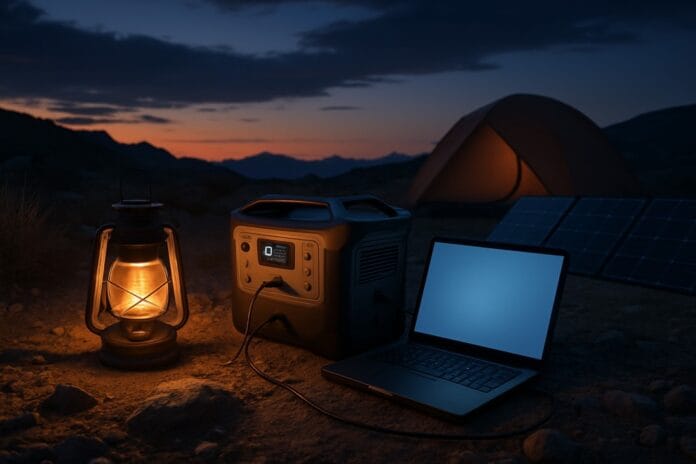
Portable power stations have replaced gas generators as the go-to backup power solution for urban families. They’re silent, safe for indoor use, and require zero maintenance. But the market is flooded with options that all look identical in product photos.
Here’s what actually matters after testing dozens of units: capacity (how much power it stores), output (how powerful your devices can be), and charging speed (how fast it’s ready when you need it).
These three models represent the best options at different price points and use cases. One will fit your situation.
Best Overall: EcoFlow DELTA 2 Max
Best For: Families who need to run a refrigerator, multiple devices simultaneously, or medical equipment during extended outages.
This is the power station that changes the conversation. While budget models keep your phone charged, the DELTA 2 Max can actually run your refrigerator for 10+ hours—the difference between saving $300 worth of food and watching it spoil.
Capacity: 2048Wh (massive—enough to charge a laptop 40+ times)
Output: 2400W (runs real appliances, not just small electronics)
Charging Speed: 0-80% in 53 minutes via wall outlet
Battery Life: LFP battery rated for 3,000 cycles (10+ years of regular use)
The magic is in the output wattage. Most power stations tap out at 300-600W, which means your coffee maker, space heater, or microwave won’t work. The DELTA 2 Max hits 2400W—enough to run a full-size refrigerator, multiple laptops, a portable heater, and charge phones simultaneously.
The LFP (Lithium Iron Phosphate) battery chemistry is the other game-changer. It lasts 6x longer than standard lithium batteries found in cheaper units. This isn’t a device you replace in 2 years; it’s a 10-year investment in your family’s resilience.
Real-World Example: During a 48-hour winter outage, this can run your refrigerator for 10-12 hours, charge 15+ phone cycles, power LED lights continuously, and still have capacity left for heating elements or medical devices like CPAP machines.
Pros:
- Actually runs refrigerators, microwaves, and space heaters
- Fast charging means it’s ready in under an hour
- 10-year battery lifespan—buy once, use for a decade
- Multiple output options (AC outlets, USB-C, car port)
- Expandable capacity with additional batteries
Cons:
- Heavy (50 lbs—not easy to move)
- Expensive ($1,400-$1,600 depending on sales)
- Overkill if you only need to charge phones
Verdict: If you have a family, medications that need refrigeration, or want the peace of mind to run actual appliances, this is the only choice that makes sense. Yes, it’s expensive. But it’s the difference between managing a blackout and surviving one.
Best Budget Option: BLUETTI EB3A
Best For: First-time buyers, single people or couples in small apartments, and anyone who wants essential backup power under $300.
This is where you start. The EB3A proves you don’t need to spend $1,500 to be prepared for a blackout. For the cost of a few restaurant meals, you get a legitimate power station that handles the essentials: keeping your phone charged, your laptop running, and your Wi-Fi router online.
Capacity: 268Wh (charges a phone 20+ times, a laptop 3-4 times)
Output: 600W (handles small devices and electronics)
Charging Speed: 30 minutes to 80% via wall outlet
Special Feature: UPS (Uninterruptible Power Supply) function
The UPS function is brilliant for urban workers. Plug your computer and router into the EB3A, and if power cuts, they don’t even notice. The switch-over happens in 20 milliseconds—faster than your devices can detect a power loss. Your Zoom call continues. Your work doesn’t disappear.
At 600W output, you won’t run a refrigerator or microwave. But you will power LED lights, charge multiple devices, run a laptop for 8+ hours, and keep a Wi-Fi router running for days. For 80% of blackout scenarios, this handles what matters.
Real-World Example: During a 12-hour outage, this can power your Wi-Fi router continuously, charge your phone 4-5 times, run a laptop for a full workday, and power LED lanterns all night. Perfect for riding out typical urban blackouts.
Pros:
- Under $300 (often on sale for $250)
- Ultra-fast charging (30 mins to usable)
- UPS function protects computers during instant outages
- Lightweight and portable (10 lbs)
- Wireless charging pad on top for phones
Cons:
- Won’t run appliances or heating/cooling devices
- Smaller capacity means you’ll need to ration power during extended outages
- Only 9 AC outlets (vs 13+ on larger models)
Verdict: If you’ve never owned a power station and don’t want to spend $1,000+, buy this. It covers phones, laptops, lights, and communication—the core needs for 72 hours. You can always upgrade later, and this becomes your secondary/portable unit.
Best Ultra-Portable: Jackery Explorer 300
Best For: Older adults who want simple operation, emergency evacuations, or anyone who prioritizes weight and reliability over features.
The Jackery Explorer 300 is the anti-tech power station. No app. No Bluetooth. No fancy features. Just a battery, some outlets, and a design so simple your 70-year-old parents can use it without calling you.
Capacity: 293Wh (similar to the BLUETTI EB3A)
Output: 300W (charges phones, tablets, small devices)
Weight: 7.1 lbs (lightest in this comparison)
Design Philosophy: Bulletproof simplicity
At 7.1 pounds, this is the only power station on this list you can carry with one hand for extended periods. That matters if you’re elderly, evacuating on foot, or need to move between rooms frequently. The carrying handle is ergonomically designed, and the unit fits in a backpack.
The tradeoff is features. You get basic AC outlets, USB ports, and a car charging port. No wireless charging. No app control. No UPS function. But it works every single time, and it’s never confusing.
Real-World Example: Keep this in your bedroom closet. During a blackout, grab it and go—it weighs less than a gallon of milk. Charge phones, run a small fan, power LED lights, and keep a battery-powered radio running. Perfect for older adults or as your “grab and evacuate” option.
Pros:
- Extremely lightweight (7.1 lbs—40% lighter than competitors)
- Foolproof operation (no learning curve)
- Jackery’s reputation for reliability (fewest failure reports)
- Fits in a backpack or small storage space
- Great for gifting to elderly relatives
Cons:
- Lower output (300W limits what you can run)
- No fast charging (5-6 hours for full charge)
- No modern features (no app, no wireless charging, no UPS)
- Pricier than the EB3A for similar capacity ($300-$350)
Verdict: Buy this if weight and simplicity matter more than features. It’s perfect for seniors, evacuation scenarios, or as a secondary unit you keep in your car. Not the best value on paper, but the best choice for specific situations.
Comparison Chart: Which Power Station Is Right for You?
| Your Situation | Best Choice | Why |
|---|---|---|
| Family with kids, need to run a fridge | EcoFlow DELTA 2 Max | Only option powerful enough for appliances |
| First power station purchase, tight budget | BLUETTI EB3A | Best value under $300, fast charging |
| Work from home, need computer protection | BLUETTI EB3A | UPS function keeps your setup running |
| Elderly user or evacuation priority | Jackery Explorer 300 | Lightest, simplest, most reliable |
| Medical devices (CPAP, nebulizer, etc.) | EcoFlow DELTA 2 Max | High capacity and output for overnight use |
| Apartment under 800 sq ft, 1-2 people | BLUETTI EB3A | Handles essentials without overkill |

Comparison Verdict: Who Should Buy Which?
If you can afford it and have a family: The EcoFlow DELTA 2 Max is worth every dollar. Running your refrigerator during a 48-hour blackout saves you $300+ in food costs—it pays for itself in a couple of major outages. The 10-year battery life means this is the last power station you’ll buy.
If you’re starting from zero: The BLUETTI EB3A is the no-brainer first step. For under $300, you get 80% of what you need for typical blackouts. Fast charging means it’s ready when you need it, and the UPS function protects your work setup. Buy this, learn how power stations work, and upgrade later if needed.
If you’re buying for someone else or need maximum portability: The Jackery Explorer 300 wins on weight and simplicity. It’s the power station you can actually carry during an evacuation, and the one your parents won’t call you to troubleshoot.
The bottom line: Any of these three will put you ahead of 90% of your neighbors when the lights go out. Pick based on your budget and situation, then move on to the rest of your blackout kit. The worst power station you own is the one you didn’t buy before the outage.
The 72-Hour Blackout Survival Mindset
Forget everything you’ve seen in apocalypse movies. Blackout survival isn’t about toughness—it’s about systems.
The 72-hour window is critical because that’s when most blackouts end. It’s also when most unprepared families fall apart. Hour 6, your phone dies. Hour 12, your food starts spoiling. Hour 24, your apartment is uncomfortably hot or cold. Hour 48, sanitation becomes a real problem.
Prepared families don’t feel those pressure points. They have light when they need it. Their phones stay charged. They’re comfortable. They have a plan.
The mindset shift is simple: you’re not surviving a blackout, you’re managing a temporary inconvenience. The difference is having the right gear in the right place before it happens.
Think of your blackout strategy in three zones:
Shelter: Maintaining your apartment as a safe, comfortable space. This means managing temperature, providing light, and ensuring basic sanitation works. Your home doesn’t stop being your home just because the grid failed.
Sustain: Keeping your family fed, hydrated, and healthy for 72 hours without grocery stores or restaurants. This isn’t about rationing rice and beans—it’s about having food you’ll actually eat and water you can access.
Connect: Staying informed and in touch with family members. You need to know when power is coming back, check on elderly relatives, and coordinate with your partner if you’re separated. Communication breakdown causes more panic than darkness.
Your gear solves these three zones. Your mindset determines whether you actually use it correctly.
Here’s the reality check: You will not read instructions during a blackout. You will not figure out how to use new gear in the dark. You will not calmly problem-solve while your kids are freaking out.
Test your gear now. Charge your power station. Run your headlamp for an hour. Eat the emergency food before you’re hungry. Figure out how the portable toilet works before you’re desperate.
The families who handle blackouts best? They’re not tougher or smarter. They’re just less surprised. They’ve seen this movie before, and they already know how it ends.
Your Complete 72-Hour Blackout Kit Checklist
This is your shopping list. Everything here fits in a closet or under a bed. No special storage room required. You can assemble this entire kit in one afternoon with a $500-1,500 budget depending on which power station you choose.
Power & Light (Priority #1)
What you need:
- Portable power station (see reviews above—pick one based on your situation and budget)
- Headlamp (not flashlight) – LED headlamp with red light mode, 300+ lumens. Hands-free is essential when you’re cooking, cleaning, or holding a kid. Red light preserves night vision. Get one for each family member.
- USB battery banks – At least two 20,000mAh power banks. These bridge the gap between power station charges and keep phones alive when you’re mobile.
- All charging cables – USB-C, Lightning, Micro-USB. If a device needs it, have the cable in your kit, not buried in a drawer somewhere.
- LED lantern – Collapsible or hanging lantern for room lighting. Look for 500+ lumens and 12+ hour runtime. One for main living area, one for bathroom.
Water & Food Storage
What you need:
- 1 gallon of water per person per day = 3 gallons per person minimum. Store-bought gallon jugs work fine. Rotate every 6 months.
- Water purification – LifeStraw or Sawyer Mini filter if you need to use tap water from questionable sources. Urban water systems often stay pressurized, but filtration is insurance.
- No-cook food that doesn’t suck – Protein bars, trail mix, peanut butter, crackers, tuna pouches, dried fruit, nuts. Skip the MREs unless you’ve actually eaten them before.
- Comfort food – Candy, cookies, or snacks your kids like. Morale matters. A $5 bag of gummy bears stops a meltdown.
- Manual can opener – If you’re storing canned goods, you need a manual opener. Electric won’t work.
Climate Control & Shelter
What you need:
- Emergency blankets (reflective mylar) – almost $1 each, take up no space, reflect 90% of body heat. One per person.
- Sleeping bags or heavy blankets – For winter blackouts. Your electric heating is gone; you need insulation.
- Battery-powered fan – For summer blackouts. Small USB fans run on power banks and make heat tolerable.
- Window insulation kit – Plastic sheeting and tape to seal windows in winter. Keeps heat in when your HVAC is dead.
Communication & Information
What you need:
- Emergency weather radio – Hand-crank or solar-powered radio with NOAA weather channels. Your phone will die; this won’t.
- Printed contact list – Phone numbers for family, building management, utility company, nearby relatives. Your phone’s dead—you need physical backup.
- Whistle – $2 safety device. If you’re trapped or need help, a whistle carries farther than yelling and doesn’t exhaust you.
Safety & Security
What you need:
- First aid kit – Pre-made kit with bandages, antiseptic, pain relievers, tweezers, medical tape. Injuries don’t wait for power to return.
- Prescription medications (7-day supply) – Extra supply of critical meds. Coordinate with your doctor; most insurance allows 90-day fills.
- Doorstop or portable lock – Extra security for your apartment door if electronic locks fail.
Sanitation & Hygiene
What you need:
- Portable toilet setup – Bucket, trash bags, kitty litter or sawdust. More on this below.
- Hand sanitizer – Large bottles. When water is limited, sanitizer keeps hands clean.
- Baby wipes or body wipes – For basic hygiene when showers aren’t possible.
- Toilet paper – Extra roll or two in your kit.
- Trash bags – Heavy-duty bags for waste management.
Special Considerations
What you need:
- Baby supplies – Formula, diapers, wipes for 3+ days. Don’t assume stores will be open or stocked.
- Pet food and supplies – 3 days of food, extra water, any medications. Pets get stressed during outages too.
- Medical device batteries – Backup batteries for CPAP, oxygen concentrators, or other critical equipment.
- Cash – $200+ in small bills. ATMs and credit card readers don’t work without power.
The Gear You Already Own
Don’t forget to designate these for blackout use:
- Coolers (for keeping fridge items cold longer with ice)
- Grill lighter or waterproof matches
- Paper plates and plastic utensils (no dishwashing without hot water)
- Duct tape (fixes everything)
- Portable phone chargers you already have
Storage tip: Keep everything in one place. A large plastic storage bin, a duffel bag, or a dedicated closet shelf. If you have to hunt for gear during a blackout, you’ve already failed.
Essential Blackout Gear Beyond Power Stations
You’ve got power handled. Now let’s talk about the three categories most people get wrong: lighting, food, and sanitation. This is where preparation meets reality.
Headlamps Beat Flashlights Every Single Time
Stop buying flashlights. Buy headlamps instead.
Flashlights seem like the obvious choice, but they’re useless for anything that requires two hands. You’re trying to cook dinner? Holding a flashlight. Changing a diaper? Holding a flashlight. Looking for something in a closet? Holding a flashlight.
Headlamps keep your hands free. That’s the entire game.
What to buy: Look for LED headlamps with at least 300 lumens output, adjustable brightness, and red light mode. The red light preserves your night vision and doesn’t blind everyone in the room when you turn your head.
Specific recommendation: The Petzl Actik Core or Black Diamond Spot 400 are both around $40-50 and will last for years. Rechargeable via USB, which means your power station can charge them. Get one per adult, one for any kid over 8 years old.
Why red light matters: Your eyes adjust to darkness in about 20 minutes. White light resets that process. Red light lets you see what you need without destroying your night vision or waking up sleeping family members.
Pro tip: Keep your headlamp on your nightstand, not in your kit. When power cuts at night, you need light immediately, not after stumbling across your apartment in the dark looking for your closet.
Shelf-Stable Food That Doesn’t Taste Like Cardboard
Emergency food has a reputation problem. Most of it is terrible.
Freeze-dried camping meals, MREs, and bulk survival rations all have the same issue: you won’t eat them unless you’re desperate. And if you’re hungry but forcing down food you hate, you’re making the blackout worse, not better.
The solution is simple: stock food you already eat.
What actually works for 72 hours:
- Protein bars and granola bars – Clif Bars, RXBARs, Kind Bars. You know these. You’ve eaten these. They’re calorically dense and taste fine.
- Nut butter packets – Justin’s almond butter or peanut butter pouches. High calories, high protein, no refrigeration needed. Eat straight from the packet.
- Trail mix and mixed nuts – Bulk bags from Costco or Trader Joe’s. Hundreds of calories per handful, lasts for months.
- Dried fruit – Mangos, apricots, cranberries. Natural sugar for energy, fiber to keep things moving.
- Tuna and chicken pouches – Not cans—pouches. Pre-seasoned flavors like teriyaki or buffalo. Eat straight from the pouch with crackers or on bread if your fridge items are still good.
- Crackers and pretzels – Carbs for comfort. Not nutritionally essential, but essential for sanity.
- Shelf-stable milk boxes – Individual serving sizes don’t need refrigeration until opened. Great for kids or coffee.
The kid-friendly secret: Stock snacks your kids already eat. If they like Goldfish crackers, applesauce pouches, or cheese sticks, have those on hand (cheese sticks stay good for 4-6 hours without refrigeration). A blackout is not the time to introduce new foods.
Avoid these common mistakes:
- Canned goods that need heating (you might not have a way to heat them)
- Anything that requires significant water to prepare (you’re rationing water)
- Foods with strong smells if you’re in an apartment (you don’t want to attract attention or pests)
- Anything you haven’t actually taste-tested before the emergency
Storage strategy: Keep a small bin of blackout-specific food separate from your regular pantry. Rotate it every 6 months by eating what’s there and restocking fresh. If you’re not rotating, it will expire, and you’ll have nothing when you need it.
The Luggable Loo: Let’s Talk About Toilets
This is the section nobody wants to read and everyone needs. When your toilet stops flushing, you have about 4 hours before this becomes your biggest problem.
High-rise apartments lose water pressure quickly. Older buildings might keep pressure longer, but you don’t want to waste it flushing toilets when you might need it for drinking or washing.
The Luggable Loo solution: It’s a 5-gallon bucket with a toilet seat lid. That’s it. It costs $35 and solves the most uncomfortable problem of any extended blackout.
How it works:
- Line the bucket with a heavy-duty trash bag
- Add a layer of kitty litter, sawdust, or wood pellets to the bottom
- Use it like a regular toilet
- After each use, add another layer of kitty litter to control odor
- When the bag is 1/3 full, tie it off and start a new one
- Store sealed bags in a secondary container or outdoor space until trash service returns
The psychology matters: Having a plan for sanitation removes one of the biggest stress points of a blackout. You’re not panicking about where to go or rationing toilet use. You have a system.
What to buy:
- Reliance Products Luggable Loo (the standard 5-gallon version with toilet seat)
- Heavy-duty trash bags (13-gallon contractor bags, not regular kitchen bags)
- Kitty litter (unscented clay litter works best—25 lbs will last a family of four for 72 hours)
- Hand sanitizer (keep a bottle next to your toilet bucket)
Alternative if you have water pressure: Keep your actual toilet functional by manually filling the tank with stored water. Each flush uses 1.6-3 gallons. That’s 3-9 gallons per person per day if everyone flushes normally. Do the math—you’ll run out fast.
The Luggable Loo saves water, maintains dignity, and keeps your apartment sanitary. It’s not glamorous, but neither is a blackout. The families who prepare for this don’t talk about it—they just handle it quietly while everyone else is panicking.
Bottom line on gear: Power stations get the attention, but headlamps, real food, and sanitation planning are what determine whether your 72 hours are manageable or miserable. Buy the unsexy stuff first. You’ll be grateful you did.
Frequently Asked Questions
How long will a power station really last?
The honest answer: it depends entirely on what you’re running and how much capacity you bought.
Here’s the math that matters: Watt-hours (Wh) divided by device wattage = hours of runtime.
Let’s use real examples with the three power stations we reviewed:
- Charging a phone (15W) = 17+ charges
- Running a laptop (50W) = 5 hours of continuous use
- Powering LED lights (10W) = 26+ hours
- Running all three simultaneously for a few hours each = roughly 8-12 hours of mixed use
- Similar to the EB3A—great for phones, lights, and small electronics
- Expect 10-15 hours of varied use before recharging
- Running a full-size refrigerator (150W) = 10-13 hours
- Charging phones (15W each) = 130+ charges
- Powering a laptop (50W) = 40+ hours
- Running a space heater (1500W) = 1-1.5 hours
- Mixed realistic use (fridge cycling, phones, lights, laptop) = 24-48 hours before recharge
The variables that drain power faster than you expect:
Devices with heating elements eat power. A 1500W space heater or electric kettle will drain even the largest power station in 1-2 hours. Coffee makers, hair dryers, toasters—these are power station killers.
Refrigerators cycle on and off. They don’t run continuously, which is why a 2048Wh power station can run a fridge for 10+ hours instead of the 3-4 hours the math suggests. The compressor runs about 30-40% of the time if you’re not constantly opening the door.
Pro tip: Your power station will last dramatically longer if you avoid heating/cooling devices and focus on communication (phones, router), lighting (LED only), and food preservation. LED lights use 10-15W. Incandescent bulbs use 60W+. That’s a 6x difference in runtime for the same amount of light.
Bottom line: Budget power stations (under $300) will keep phones and laptops alive for 12-24 hours. Premium units ($1,500+) can run a refrigerator and critical devices for 24-48 hours. Plan your usage based on capacity, not wishful thinking.
Can I run my refrigerator on a power station?
Yes, but only if you buy the right power station. Most won’t cut it.
Here’s what actually matters: startup wattage vs. running wattage.
A typical full-size refrigerator uses 150-200W while running, but it needs 600-800W for 1-2 seconds during startup when the compressor kicks on. This surge is what kills smaller power stations.
Power stations that CAN run a refrigerator:
- EcoFlow DELTA 2 Max (2400W output, 4800W surge) – Handles full-size fridges with ease
- Jackery Explorer 1000 or higher (1000W+ output) – Works for most standard fridges
- Bluetti AC200 series (2000W+ output) – Designed for appliance use
Power stations that CANNOT run a refrigerator:
- BLUETTI EB3A (600W output) – Not enough for startup surge
- Jackery Explorer 300 (300W output) – Can’t even attempt it
- Any power station under 800W output—don’t try
How to check if your fridge will work:
Look for the yellow EnergyGuide sticker inside your fridge or on the back. It lists wattage. If it says 150-200W running, you need a power station with at least 1000W output to handle the startup surge. If your power station has less than 800W output, skip this and focus on keeping your cooler stocked with ice instead.
Reality check on runtime:
Even with the EcoFlow DELTA 2 Max (2048Wh), you’re getting 10-13 hours of refrigerator runtime—not 72 hours. The compressor cycling saves you, but you’re not running your fridge for three days straight on a single charge.
The smarter strategy for most people:
Don’t open your fridge. A closed refrigerator stays cold for 4 hours. A closed freezer stays frozen for 24-48 hours. Use that time before you even think about power backup. After hour 4, transfer your most critical items (medications, expensive proteins, baby food) to a cooler with ice.
If you have a high-capacity power station, run the fridge for 2-hour cycles: 2 hours on to re-cool everything, then 2-4 hours off to conserve power. This extends your battery life 3-4x compared to continuous running.
Bottom line: Running a refrigerator requires a $1,000+ power station with 1000W+ output. If you bought a budget model, accept that your fridge strategy is ice and coolers, not electricity.
Should I buy a gas generator for my apartment?
Absolutely not. This is how people die.
Gas generators produce carbon monoxide (CO)—an odorless, colorless gas that kills you before you realize there’s a problem. You cannot safely run a gas generator indoors, in a garage, on a balcony, or near windows. Period.
The numbers are terrifying:
- Carbon monoxide poisoning kills 400+ Americans every year
- 50% of those deaths happen during power outages when people run generators improperly
- CO can reach lethal levels in minutes in enclosed spaces
- Even “cracking a window” doesn’t provide enough ventilation
Why apartment dwellers specifically cannot use gas generators:
Your balcony isn’t safe. CO seeps back inside through any opening—windows, door gaps, HVAC vents. Your neighbors’ open windows pull in your exhaust. You’re not just risking your family; you’re risking everyone in your building.
You have no proper ventilation space. Gas generators must be at least 20 feet from any structure with openings. In an apartment complex, that’s impossible. You can’t run one in a hallway, stairwell, parking garage, or courtyard.
Your building management will shut it down. Most apartment leases explicitly ban gas generators. If you run one during a blackout, expect fire department response, eviction proceedings, and liability if someone gets hurt.
It’s a fire hazard in dense housing. Gasoline storage in apartments violates fire codes in most cities. A gas can in your coat closet is a disaster waiting to happen.
What about “outdoor” spaces?
- Balcony: No. CO flows back inside.
- Parking garage: Absolutely not. Enclosed space = death trap.
- Courtyard or patio: Maybe, if it’s truly open-air and 20+ feet from all buildings. But HOAs and building management won’t allow it.
The portable power station advantage:
Battery-powered stations produce zero emissions. You can run them indoors, in your bedroom, next to your couch, wherever you need power. No noise. No fumes. No risk of killing your family or neighbors.
Bottom line: Gas generators are for homeowners with yards, not urban apartment dwellers. If you’re in a multi-family building, portable power stations are your only safe option. Don’t gamble with carbon monoxide. It’s not worth saving $500 on a generator if it costs you your life.
Conclusion: Take Action Today, Thank Yourself Tomorrow
Here’s what separates prepared families from panicked ones: a single afternoon of work, done once.
You’ve read the guide. You know what gear to buy. You understand the mistakes that leave people struggling in the dark. The only question left is whether you’ll actually do something about it.
Most people won’t. They’ll bookmark this article, tell themselves they’ll handle it later, and then scramble when the power cuts. They’ll realize at 9 PM with a dead phone and scared kids that “later” should have been “now.”
You’re different. You made it to the end of this guide, which means you’re already taking preparedness seriously. Don’t let that momentum die.
Your next 30 minutes decide your next blackout experience:
Pick one power station from the reviews above and order it. Not “someday”—today. If you’re on a budget, the BLUETTI EB3A for under $300 handles phones, laptops, and lights. If you have a family, the EcoFlow DELTA 2 Max is worth every dollar. Buy the power station first. Everything else can wait.
While you’re waiting for it to arrive, grab the basics: headlamps, bottled water, shelf-stable food you actually like. You’re not prepping for doomsday—you’re building a 72-hour buffer against inconvenience.
The investment is smaller than you think:
- Basic kit (BLUETTI EB3A + essentials): $500-600
- Comprehensive family kit (EcoFlow DELTA 2 Max + full checklist): $1,500-1,800
- Premium setup with redundancy: $2,500+
Compare that to one hotel stay during a summer blackout ($200-300/night), spoiled groceries ($200-400), or lost work productivity. Your blackout kit pays for itself the first time you use it.
And here’s the hidden benefit: Peace of mind isn’t just for blackouts.
That power station you bought for outages? You’ll use it for camping trips, tailgating, outdoor movie nights, working from a park. Those headlamps? Perfect for late-night dog walks or when your building’s hallway lights fail. The shelf-stable food? Rotates into your pantry every six months.
You’re not buying gear that sits unused. You’re buying capability that improves your life now and saves you during emergencies.
Your One-Page Action Plan
We’ve packed the entire 72-hour checklist into a printable, two-pages PDF you can keep in your blackout kit or stick on your fridge.
[DOWNLOAD YOUR FREE CHECKLIST HERE] — It includes:
- Power station comparison chart
- Complete gear checklist with quantities
- 72-hour food and water planning calculator
- First 15 minutes action steps
- Building management contact section
[DOWNLOAD YOUR FREE CHECKLIST HERE]
Print it. Check off items as you acquire them. When the lights go out, you’ll know exactly what you have and where it is.
The blackout is coming. Not because the world is ending, but because infrastructure is aging and climate events are intensifying. The average American experienced twice as many outage hours in 2024 compared to 2014. That trend isn’t reversing.
You can’t control the grid. You can’t prevent the next ice storm, heat wave, or equipment failure.
But you can control your response.
Prepared families don’t panic when the lights go out. They don’t scramble for flashlights or ration phone battery at 10%. They don’t worry about spoiled food or how to keep kids comfortable. They pull out their gear, activate their plan, and wait for power to return.
That can be you. It starts with a single purchase and one afternoon of preparation.
The next blackout might be tonight. It might be next month. It might be next year.
But when it happens, you’ll be ready.
Start with the checklist. Order your power station. Build your kit. Then go back to your normal life, knowing that when the grid fails, you won’t.
For more info about disaster preparedness, please visit: Disaster Preparedness